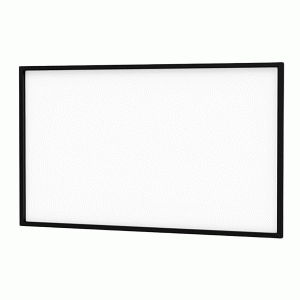
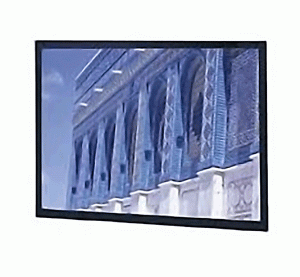
Da Snap Screen
The Da-Snap allows for versatile frame options with customization features that include curved frames and wrap around surfaces. The Da-Snap can be mounted on the wall or in a wall opening.
The Da-Snap with aspect ratio 16: 9, 16: 10, 21:9 capable of supporting projection area from 77″ to 226″.
- Features
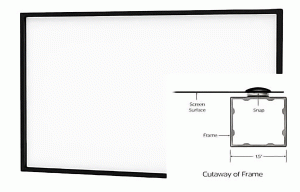
- Front or rear projection screen surface with snaps or optional Velcro.
- Square aluminum tubing frame
- Frame available with Pro-Trim® finish to absorb light surrounding the viewing area.
- Standard black backing retains projected brightness.
- Frame Assembly
- Unpack the frame parts from the carton. DO NOT unroll the screen surface at this time.
- Slide the frame pieces together at corners. (NOTE: Frame assembly holes may not appear to fit properly at the corners until all fasteners have been attached. Once fasteners are attached, the frame corners will be drawn in for a proper fit). Secure frame pieces with #10 screws provided. Do not tighten screws until all are started, then tighten.
- NOTE: The frame pieces are labeled “top” and “bottom”. Besure the frame pieces are assembled according to the labels. This will ensure the snap pattern on the frame and screen surface will match.
- Installation
- There are four methods of installation based on the size of the screen and type of viewing surface. Measure the width of the viewing area of your screen and refer to the appropriate method of installation below. The wall bracket diagram shows the type and quantity of bracket that is supplied based on the size of the screen.
- Method 1: Screens 80″ and smaller in viewing width.
- Use the supplied screws to attach three frame brackets to the back of the frame.
- Secure the large wall bracket to wall studs at the desired height. Make sure the bracket is level. The top of the frame will be 1/8″ above the top of the wall bracket when mounted. You will need at least 5/8″ clearance above the bracket to hang the screen.
- To install the small wall bracket, you must measure the overall height of the screen frame and subtract 1-3/8″. Using that dimension, measure down from the top edge of the large wall bracket and mark the wall for two screw holes. The holes should be centered within the frame and 6″ apart.
- Attach the small wall bracket to the wall for proper orientation. Do not tighten the screws completely. The bracket should slide up and down easily.
- Unroll the screen on a clean surface. Do not use newspaper. The viewing side is rolled to the inside of the roll. Place the frame over the screen surface, and while lifting the frame with one hand, snap the screen surface onto the frame with the other hand while maintaining a steady pull on the surface.
- Hang the screen on the brackets by hooking the bottom of the frame onto the small wall bracket and lift up until you can hook the top of the frame on the top bracket. Push down on the frame to seat it on the brackets.
- Method 2: Screens over 80″ up to 96″ in viewing width.
- Use the supplied screws to attach four frame brackets to the back of the frame.
- Secure the wall bracket to wall studs at the desired height. Make sure the bracket is level. The top of the frame will be 1/8″ above the top of the wall bracket when mounted. You will need at least 5/8″ clearance above the bracket to hang the screen.
- . To install the lower wall bracket, you must measure the overall height of the screen frame and subtract 1/4″. This is the dimension from the top of the upper wall bracket to the
bottom of the lower wall bracket. - Unroll the screen on a clean surface. Do not use newspaper. The viewing side is rolled to the inside of the roll. Place the frame over the screen surface, and while lifting the frame with one hand, snap the screen surface onto the frame with the other hand while maintaining a steady pull on the surface.
- Position the screen with the attached surface onto the top wall bracket. Push down at the center of the bottom frame rail to hook onto the lower wall bracket.
- Method 3: Screens over 96″ in viewing width.
- Use the supplied screws to attach six frame brackets to the back of the frame.
- Secure the wall brackets to wall studs at the desired height. Make sure the brackets are level. The top of the frame will be 1/8″ above the top of the wall bracket when mounted. You will need at least 5/8″ clearance above the bracket to hang the screen.
- To install the lower wall bracket, you must measure the overall height of the screen frame and subtract 1/4″. This is the dimension from the top of the upper wall bracket to the bottom
of the lower wall bracket. - For screen 90″ high viewable and over and larger screens with 2-piece side frame rails you will need to attach one side frame bracket to each side frame rail. Use the black screws supplied.
- Unroll the screen on a clean surface. Do not use newspaper. The viewing side is rolled to the inside of the roll. Place the frame over the screen surface, and while lifting the frame with one hand, snap the screen surface onto the frame with the other hand while maintaining a steady pull on the surface.
- Position the screen with the attached surface onto the top wall bracket. Push down at the center of the bottom frame rail to hook onto the lower wall bracket.
- If you attached brackets to the side frame rails in step 4, anchor these to the wall with an appropriate fastener for your type of wall.
- Product Image