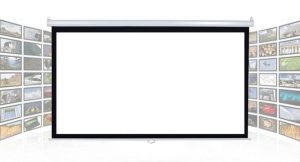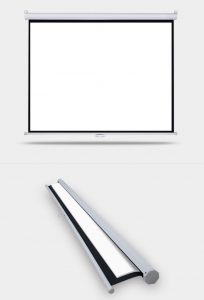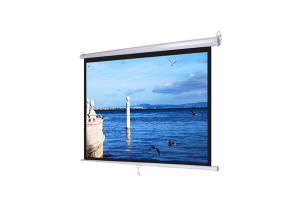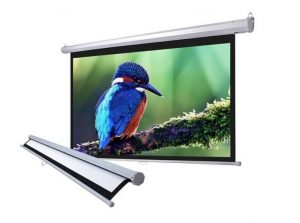
The wall-mounted projection screen is a manually operated screen that can be adjusted as needed during use. With an affordable price, it is ideal for presentations in offices, classrooms, football cafés, businesses, and other medium to small spaces. The Dalite wall-mounted screen with external mounting brackets makes installation easier compared to conventional recessed-mounted screens.
Specification of the Dalite Manual Screen
- Brand: Dalite
- Models: P…WS for example P70ES, PW150ES
- White powder-coated box with a sturdy hexagonal design, resistant to
warping. The screen features a black border to absorb excess light. - High-quality Matte White screen fabric with a gain of up to 1.3
enchances projection brightness and sharpness by 2 – 3 times compared to a
standard white wall. - A wide 180° viewing angle, ideal for commercial presentations or home
theater setups. - Features: Mold-resistant, waterproof, fire-resistant, anti-static,
wrinkle-resistant, corrosion-resistant and tear-resistnat screen edges. - The back of the screen is coated black to reduce light penetration from
behind. - Wall-mounted projection screen with manual stop-and-adjust
functionality. - Smooth and responsive rolling mechanism allows effortless up-and-down
screen adjustment. - The screen is designed for ceiling or wall mounting, featuring an
internationlly popular octagonal or square shape. Made of galvanized iron
with a white powder-coated finish, it boasts an elegant and modern style. - The screen features automatic locking technology allowing it to stop at
any position and be easily extended or retracted as needed.
Instructions for User
- Carefully remove the screen from the carton box and use screws to attach
both ends of the screen to the wall. Alternatively, you can hang both ends
using a sturdy steel wire that has been tested for durability. Always ensure
that when hanging the screen, both ends are at the same height and not
uneven. - When using the screen, gently pull down the horizontal bar supporting
the farbic to the desired stopping point. To roll it up, lightly pull it
down and the screen will automatically retract for seft-retracting models.
For standard screens, you need to hold it while rolling it up manually.
| Manual Screen | ||
| 100″ | 1m78 x 1m78 | 70″ x 70″ |
| 113″ | 2m03 x 2m03 | 80″ x 80″ |
| 120″ | 2m13 x 2m13 | 84″ x 84″ |
| 120″ | 2m44 x 1m83 | 96″ x 72″ |
| 135″ | 2m44 x 2m44 | 96″ x 96″ |
| 150″ | 3m05 x 2m29 | 120″ x 90″ |
| 170″ | 3m05 x 3m05 | 120″ x 120″ |